

Release News Naviate for Civil 3D
Naviate for Civil 3D 2026.26.2 Base release
Release news for Naviate Base. Highlights includes the new features Load Naviate, Define volumes report at Point, Script call by Folder, Update Property Set, Find object by Handle, Replace Property and Rename Property. In addition to updates and fixes.
-
Feature
-
Feature
-
Feature
-
Feature
-
Feature
-
Feature
-
Feature
-
Update
-
Fix
Load Naviate
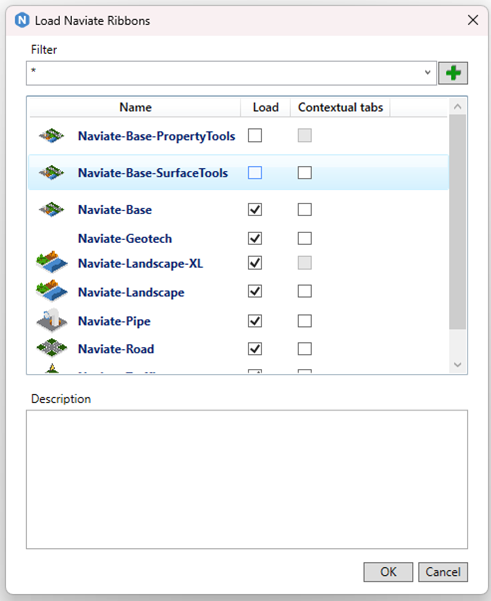
In this version of Naviate we created a new way of accessing your Naviate Ribbons. The Naviate Base ribbon will always be loaded and from the Load Naviate button you can load the ribbons you need. If you create your own CUIx-files, these can also be loaded from this menu. Tick the appropriate column to use Context or Non-Context-ribbons.
Define volumes report at Point
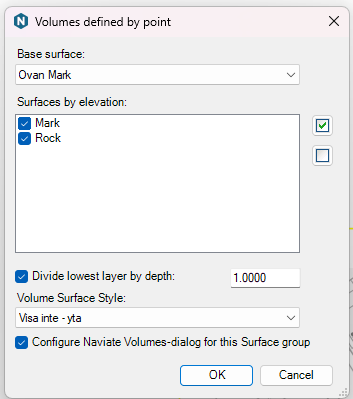
Define volumes report at Point is a new command to create volume surfaces between a Base Surface and all surfaces available at the selected point. The command can set up Naviates Report Surface volumes with the created volume surfaces and an optional division of the lowest layer to for instance split a rock volume into above/below 1m depth.
Script Call by Folder
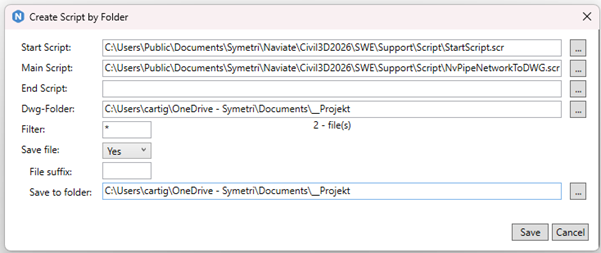
Script Call by Folder is a method to run script on multiple drawings. The command will create a complete script from any base script with optional start and/or end script with a selected folder of drawings. The files can be only opened, overwritten or saved with a suffix or to a new folder.
The resulting script is then run by the SCRIPT command.
Update Property Set
Update Property Set can update a property set from an XML-file, with options to add and/or remove missing or added properties. The command can report what has been done on the commandline and/or to a report-CSV.
Find object by Handle
Find object by Handle is a function to seelct objects from the handle. This can be used with Naviates reporting tools that uses Handle to identify objects.
Replace Property
Replace Property can be used to replace values in Property Set. By using CMDDIA=0, the command can be run on the commandline and can then also report what has been done to a report-csv.
Rename Property
Rename Property can rename a property in a property set while the data on the objects remain unchanged.
Updates
Property from LandXML has been updated to work with different file structures.
Object On Off has been updated with the ability to hide Point Groups. Hide and Show can now be used from Right-click menu on many objects. When using Hide on a Profile View, the projection labels will now be hidden as well.
Min Max Surface has been updated to keep whole triangles when possible, and the command can also respects holes in the original surfaces.
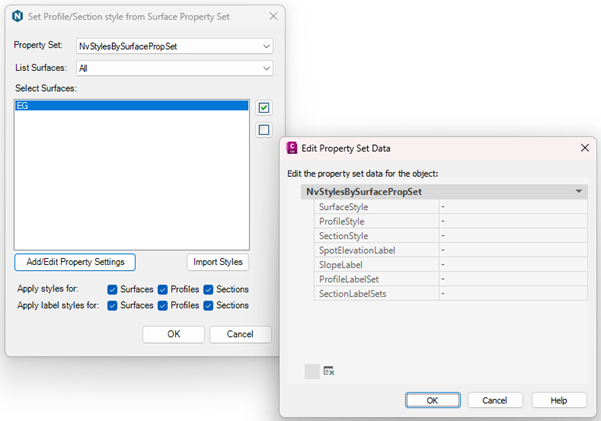
Style By Surface can now also set Surface Labels and Profile/Section Label Sets. Style By Surface can now be run on data shortcut profiles even if the connected surface is not imported.
Command List has been updated with a Create option for creating a commandlist from any CUIx. Also duplicate commands are displayed in the same post, with all places where the command is found on the Ribbon displayed under Cuix/Tab/Panel. Commands also have a Links-area where relevant Webinars or websites are displayed.
Slice Solid can now slice with a grid
Report Surface Volumes has been updated to be able to create Solids for visualisation of the volumes.
Fixes
Fixed an issue where BEFORE, AFTER and BETWEEN didn’t grab correct amount of characters when used in Naviate Formulas in Property Sets.